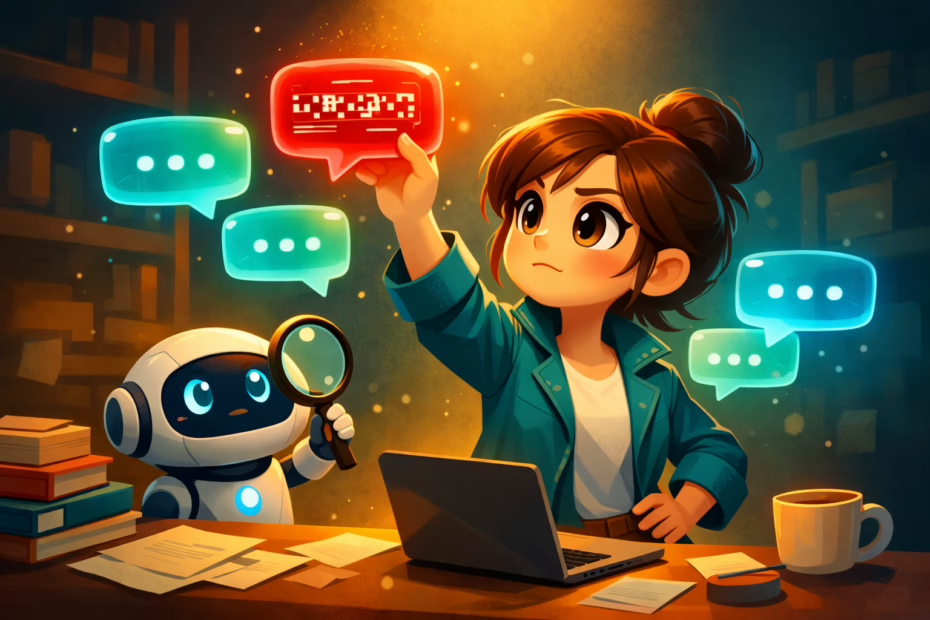
Your AI agent just failed a customer request. You didn’t catch it until someone complained. Now you wonder what else breaks in silence. AI agent testing solves this problem fast.
This guide shows you how testing works in plain words. You’ll learn what to check, when to test, and how to avoid hidden mistakes. I built systems that generated $25M for clients. These testing methods protect your business reputation.
By 2026, every business using AI agents needs a testing plan. Skip this step and watch customers leave. Follow these steps and catch problems before they cost you money.
Table of Contents
- What Is AI Agent Testing and Why It Matters
- Types of AI Agent Testing You Need to Know
- Common Problems AI Agent Testing Catches
- The 10-Step AI Agent Testing Process
- Tools and Methods for Effective Testing
- How Uplify Makes AI Agent Testing Simple
- Frequently Asked Questions
What Is AI Agent Testing and Why It Matters
AI agent testing checks if your autonomous systems work correctly. It verifies responses, catches errors, and measures reliability. Testing happens before launch and continues after deployment.
Most business owners skip testing until problems appear. That’s too late. One bad AI response can lose a customer forever. Testing prevents these failures before they damage your reputation.
Why Testing Matters More in 2026
AI agents now handle customer service, sales, and support. They work 24/7 without breaks. But they also make mistakes that humans would catch instantly. Testing finds these mistakes early.
The stakes are higher than ever. Research on business operations management shows that system failures cost small businesses thousands. AI agent testing reduces this risk significantly.
Your customers expect perfect service every time. AI agents must meet this standard. Testing ensures they do.
What Makes AI Agent Testing Different
Traditional software testing checks code logic. AI agent testing examines behavior and judgment. Your agent might technically work but still give wrong advice.
AI agents learn from data and adapt. This makes testing complex. You can’t just check one scenario. You need to test many situations, edge cases, and unexpected inputs.
Testing also checks for bias, fairness, and safety. These issues don’t appear in standard software. They’re unique to AI systems that make decisions.
Key Takeaway: AI agent testing protects your business from costly mistakes and reputation damage.
Types of AI Agent Testing You Need to Know
Different tests catch different problems. You need multiple testing types for complete coverage. Here are the essential methods every business owner should understand.
Functional Testing
Functional testing checks if your agent does what it should. Does it answer questions correctly? Does it follow your business rules? Does it handle common requests properly?
Run functional tests on every feature. Test customer inquiries, appointment booking, product recommendations, and refund requests. Cover all normal operations first.
Document expected results before testing. Then compare actual results. Any mismatch reveals a problem that needs fixing.
Performance Testing
Performance testing measures speed and reliability. How fast does your agent respond? Can it handle multiple requests at once? Does it slow down under load?
Your customers won’t wait for slow responses. Test response times under different conditions. Make sure your agent performs well during busy periods.
Performance testing also checks resource usage. An efficient agent costs less to run. This matters when you scale up operations.
Security Testing
Security testing protects sensitive data and prevents unauthorized access. Can someone trick your agent into revealing private information? Does it properly verify user identity?
Test for common security vulnerabilities. Try prompt injection attacks. Attempt to extract training data. Check authentication processes thoroughly.
Security failures can destroy your business overnight. Don’t skip this testing phase. Professional security testing pays for itself many times over.
Accuracy and Reliability Testing
Accuracy testing verifies that your AI agent gives correct answers. Check facts, calculations, and recommendations. One wrong answer can cost you a customer.
Reliability testing ensures consistent performance over time. Your agent should work the same way every day. Test regularly to catch drift or degradation.
Building comprehensive AI agents for your business requires ongoing accuracy checks. Set benchmarks and measure against them weekly.
User Experience Testing
User experience testing examines how real people interact with your agent. Is it easy to use? Do customers understand responses? Does it feel natural?
Run tests with actual users from your target audience. Watch them interact with your agent. Note confusion, frustration, or unexpected behavior.
Good UX testing reveals problems you’d never find alone. Users approach your agent differently than you expect. Their feedback is invaluable.
Key Takeaway: Use multiple testing types to catch different categories of problems and ensure complete coverage.
Common Problems AI Agent Testing Catches
Testing reveals specific failure patterns. Knowing what to look for helps you test more effectively. Here are the most common issues we see.
Hallucination and False Information
AI agents sometimes invent facts that sound plausible but are wrong. This is called hallucination. It’s one of the biggest risks in AI agent testing.
Test by asking questions with verifiable answers. Check if your agent cites sources correctly. Verify all factual claims it makes.
Set up guardrails that prevent hallucination. Require source citations. Add fact-checking steps. Test these safeguards regularly.
Context Loss and Memory Problems
Agents sometimes forget earlier conversation parts. They lose context mid-discussion. This frustrates customers and breaks the user experience.
Test long conversations with multiple topics. Switch subjects and return to earlier points. Verify your agent maintains context throughout.
Context loss often happens at specific conversation lengths. Find these breaking points during testing. Then fix the underlying memory issues.
Bias and Fairness Issues
AI agents can reflect biases from training data. They might treat different customer groups unfairly. This creates legal and ethical problems.
Test your agent’s responses across different demographics. Check for consistent treatment regardless of user characteristics. Document any disparities you find.
Bias testing requires careful planning. Use diverse test scenarios and users. Studies on business growth strategies emphasize that fair treatment drives customer loyalty and sustainable expansion.
Prompt Injection and Security Exploits
Malicious users try to manipulate AI agents through clever prompts. They might extract confidential data or make the agent behave improperly.
Test by attempting various injection techniques yourself. Try to make your agent reveal system prompts. Attempt to bypass restrictions and safeguards.
Security testing finds vulnerabilities before attackers do. This protects your business data and customer information. Never skip security testing.
Integration and API Failures
AI agents connect to other systems through APIs. These connections can fail or return unexpected results. Integration testing catches these problems.
Test every API connection under various conditions. Check error handling when services are unavailable. Verify data formatting and validation.
Integration failures often appear only in specific circumstances. Test thoroughly to find edge cases. Document all external dependencies.
Key Takeaway: Common problems follow predictable patterns that systematic testing can catch before they affect customers.
The 10-Step AI Agent Testing Process
Follow this process for thorough AI agent testing. Each step builds on the previous one. Skip steps and you’ll miss critical issues.
Step-by-Step Testing Framework
- Define success criteria first. Write down exactly what your agent should do. List specific behaviors and outcomes.
- Create test scenarios. Build a library of test cases covering normal use, edge cases, and failure modes.
- Set up test environment. Create a safe space for testing that mirrors production but won’t affect real customers.
- Run functional tests. Verify basic features work correctly. Check every feature your agent offers.
- Execute performance tests. Measure speed, reliability, and resource usage under various loads.
- Conduct security testing. Try to break your agent. Test for vulnerabilities and data leaks.
- Perform accuracy checks. Verify all information your agent provides is factually correct.
- Test user experience. Have real users interact with your agent. Gather feedback on usability.
- Document all findings. Record every issue, no matter how small. Create a prioritized fix list.
- Retest after fixes. Verify that fixes work and didn’t create new problems. Repeat until all tests pass.
How Often to Test
Testing isn’t a one-time event. Your AI agent needs ongoing evaluation. Test before launch, after updates, and on a regular schedule.
Run quick smoke tests daily. These catch obvious breaks immediately. Perform comprehensive testing weekly or after any significant changes.
Schedule monthly deep testing sessions. Include security audits and accuracy checks. This prevents gradual degradation from going unnoticed.
Using AI tools for business automation requires continuous monitoring and testing to maintain quality and reliability.
Building Your Test Library
Start collecting test cases from day one. Every customer interaction reveals potential test scenarios. Document edge cases and unusual requests.
Organize tests by category: functional, security, performance, accuracy. Create reusable test scripts you can run repeatedly.
Your test library grows over time. Add new tests whenever you find a bug. This prevents the same problem from recurring.
Key Takeaway: Systematic testing following a clear process catches more issues than ad-hoc testing ever will.
Tools and Methods for Effective Testing
The right tools make testing faster and more thorough. Here are practical methods that work for small business owners without technical expertise.
Manual Testing Techniques
Manual testing means humans interact with your agent like customers would. It’s time-consuming but catches issues automated tests miss.
Create conversation scripts covering common scenarios. Have team members follow these scripts. Note any unexpected responses or confusion.
Manual testing finds usability problems. It reveals when your agent’s responses feel unnatural or unhelpful. This human insight is irreplaceable.
Automated Testing Tools
Automated tools run tests faster than humans can. They execute hundreds of test cases in minutes. This makes frequent testing practical.
Set up automated tests for repetitive checks. Test basic functionality daily. Run performance tests automatically after code changes.
Automation doesn’t replace human testing. It complements it. Use automation for speed and coverage. Use manual testing for insight and creativity.
Monitoring and Logging
Monitor your AI agent in production constantly. Log every interaction and response. This data helps you spot problems quickly.
Set up alerts for unusual patterns. Flag responses that take too long. Track error rates and customer satisfaction scores.
Logs provide evidence when investigating issues. They show exactly what happened during failed interactions. Good logging makes debugging much easier.
A/B Testing for AI Agents
A/B testing compares different agent versions. You run two versions simultaneously and measure which performs better.
Test new features with small user groups first. Compare results against your current agent. Roll out improvements gradually based on data.
A/B testing reduces risk. It proves changes work before full deployment. This methodical approach prevents costly mistakes.
User Feedback Collection
Ask customers about their experience directly. Add quick rating buttons after agent interactions. Collect detailed feedback periodically.
Real user feedback reveals problems you’d never imagine. Customers use your agent in unexpected ways. Their input improves testing and the agent itself.
Make feedback easy to give. The simpler the process, the more responses you’ll get. Act on feedback quickly to show customers you’re listening.
Key Takeaway: Combine manual testing, automation, monitoring, and user feedback for comprehensive AI agent evaluation.
How Uplify Makes AI Agent Testing Simple
Testing AI agents shouldn’t require technical expertise. Uplify provides tools that make evaluation accessible to every business owner. Here’s how we help.
Built-in Testing Frameworks
Uplify includes testing tools designed for non-technical users. You don’t need to write code or understand complex systems. Simple interfaces guide you through the process.
Our testing frameworks cover all essential areas: functionality, accuracy, security, and user experience. Pre-built test templates get you started immediately.
You can customize tests for your specific business needs. Add scenarios unique to your industry. Build a testing library that grows with your business.
Automated Quality Checks
Uplify runs automatic quality checks on all AI agents. These background tests catch problems before they reach customers. You get alerts when issues appear.
Our system monitors accuracy, consistency, and performance continuously. It flags potential problems early. This proactive approach prevents customer-facing failures.
Automated checks save you hours of manual testing. They run 24/7 without your involvement. You focus on business while we handle technical monitoring.
Real-Time Performance Monitoring
Track your AI agent’s performance in real-time through Uplify dashboards. See response times, error rates, and customer satisfaction instantly.
Performance data helps you make informed decisions. You know exactly how your agent performs. Trends become visible before they become problems.
Our monitoring integrates with all AI automation solutions you deploy. Everything appears in one unified dashboard for easy management.
Expert Guidance and Support
You’re not alone in testing your AI agents. Uplify provides expert guidance at every step. We help you interpret results and fix issues.
Our platform includes best practices learned from thousands of business implementations. You benefit from collective experience without learning through expensive mistakes.
Support is available when you need it. Questions get answered quickly. Problems get resolved fast. You have a team behind you.
Expert Insight from Kateryna Quinn, Forbes Next 1000:
“I’ve seen businesses lose thousands from untested AI agents. Simple testing catches 90% of problems. Uplify makes this testing accessible to everyone. You don’t need technical skills. You need the right tools and process.”
Integration with Business Workflows
AI agent testing fits into your existing business processes seamlessly. Uplify integrates with tools you already use. Testing becomes part of your routine, not an extra burden.
Schedule automated tests during off-hours. Review results when convenient. The platform works around your schedule.
Testing data connects to other business metrics. You see how agent performance affects sales, customer satisfaction, and profitability. This complete picture guides better decisions.
Key Takeaway: Uplify removes technical barriers to effective AI agent testing while providing enterprise-grade capabilities.
Quick Reference: AI Agent Testing Defined
AI agent testing is the systematic evaluation of autonomous AI systems to verify correct operation, accuracy, security, and user experience. It encompasses functional testing, performance measurement, security audits, and ongoing monitoring. Effective testing catches errors, biases, and vulnerabilities before they affect customers. The process includes both manual and automated approaches. Testing must be continuous, not one-time, because AI agents evolve over time. Business owners use testing to protect reputation, ensure quality, and maintain customer trust. Modern AI agent testing combines traditional software quality assurance with new methods specific to AI behavior.
Frequently Asked Questions
What is AI agent testing?
AI agent testing checks if autonomous AI systems work correctly and safely. It verifies responses, measures accuracy, and catches security problems. Testing happens before launch and continues after. It protects your business from AI mistakes. All businesses using AI agents need regular testing.
How do I test my AI agent?
Start by defining what success looks like. Create test scenarios covering normal use and edge cases. Run tests in a safe environment. Check functionality, accuracy, security, and user experience. Document all findings and fix problems. Retest after changes to verify fixes work correctly.
Why does AI agent testing matter?
Testing prevents costly mistakes before they reach customers. One bad AI response can lose a customer forever. Testing finds problems early when they’re cheap to fix. It protects your reputation and business. Regular testing ensures consistent quality over time.
When should I test my AI agent?
Test before launch, after updates, and on a regular schedule. Run daily smoke tests for obvious problems. Perform weekly comprehensive testing after changes. Schedule monthly deep audits for security and accuracy. Test immediately if customers report issues.
Can I test AI agents without technical skills?
Yes, modern platforms like Uplify make testing accessible to everyone. You don’t need coding knowledge or technical expertise. User-friendly tools guide you through the process. Pre-built templates get you started fast. However, complex testing may benefit from professional help.
What tools do I need for AI agent testing?
You need testing frameworks, monitoring tools, and logging systems. Manual testing requires conversation scripts and checklists. Automated testing needs software that runs repetitive checks. User feedback tools collect customer input. Platforms like Uplify provide all these tools integrated together.
How much does AI agent testing cost?
Costs vary widely based on approach and scale. Manual testing costs your time and staff hours. Automated tools range from free to thousands monthly. Professional testing services charge by project or hourly. Uplify includes testing tools in its platform pricing. Not testing costs more through lost customers and reputation damage.
What’s the difference between testing and monitoring?
Testing is active evaluation before and after deployment. Monitoring is passive observation during production use. Testing uses planned scenarios and checks specific outcomes. Monitoring watches for unexpected problems in real operation. Both are necessary for reliable AI agents.
How long does AI agent testing take?
Initial testing takes several days to weeks depending on complexity. Daily smoke tests take minutes with automation. Weekly comprehensive testing takes hours. Monthly deep audits take a full day or more. Time investment pays off through prevented failures and better quality.
Can AI agents test themselves?
AI can assist with testing but shouldn’t be the only tester. Automated AI-powered tools speed up repetitive checks. But human judgment remains essential for evaluating quality and appropriateness. Self-testing AI agents creates circular validation problems. Always include human oversight in testing processes.
Take Control of Your AI Agent Quality Today
AI agent testing protects your business from expensive mistakes. It ensures quality, builds customer trust, and prevents reputation damage. Testing isn’t optional anymore—it’s essential for every business using AI.
Start with basic functional tests. Expand to security and performance. Build your testing library over time. Make testing a regular habit, not a one-time event.
The businesses that succeed with AI in 2026 will be those that test thoroughly. They catch problems early. They maintain high quality consistently. They protect their customers and their reputation.
Don’t wait until something breaks. Don’t learn about testing through customer complaints. Start testing your AI agents today. Your future self will thank you.
Uplify makes AI agent testing simple and accessible. Our platform provides tools, guidance, and support for business owners without technical backgrounds. We help you implement enterprise-grade testing without enterprise-grade complexity. Visit Uplify.ai to see how we simplify AI agent testing for small businesses.
Testing is how you turn AI from a risk into an asset. It’s how you make AI reliable enough to trust with your customers. Start testing systematically and watch your AI agent quality improve dramatically.
Key Takeaway: AI agent testing transforms from technical challenge to business advantage with the right approach and tools.

Kateryna Quinn is the founder and CEO of Uplify AI, an AI-powered business strategist that helps service-based, brick-and-mortar small business owners increase profitability and reclaim their time. She also founded ASTASH, an award-winning full-service digital marketing agency specializing in SEO, Google Ads, branding, logo design, and website development, based in Northern Colorado. A Ukrainian immigrant who came to the United States at 17, Quinn has generated more than $25 million in organic revenue for her agency clients. She is a Forbes NEXT 1000 honoree and was named to NOCO Style Magazine’s 30 Under 30.